Building a Design System and Landing Page for Salon Software
Kohisi's landing page had the wrong personality for its audience; the branding and landing page did not clarify what the product was meant to achieve. In a week, I built a new visual identity and applied it to a redesigned home page.
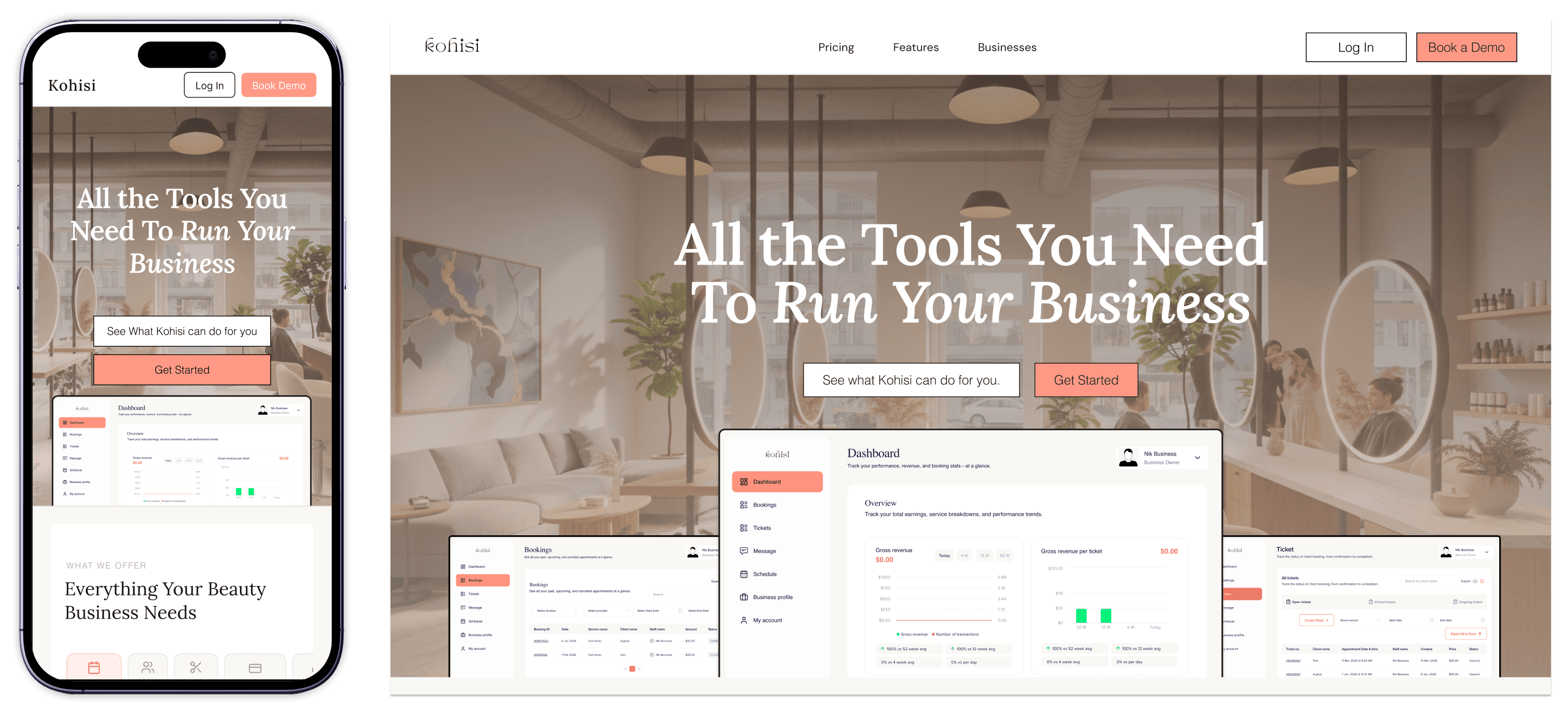
COMPLETED:
SKILLS:
Design Systems
AI Prototyping
ROLE:
Solo UX / UI Designer for Cilent
IMPACT
delivered a new design system that received positive feedback from test users
THE "MESS"
The existing landing page verbally describes booking software, but it does not communicate who the software is for
Kohisi's previous design was built around an aesthetic that did not communicate product value or build confidence with salon owners evaluating it. The founder needed a new visual direction that clarified features and matched the product. That meant starting from the brand up: establishing a design system first, then applying it to a full home page redesign.
The challenging part was designing a software landing page for a product that was not fully ready yet, which limited showing UI screens the same way competitors did.
To Do:
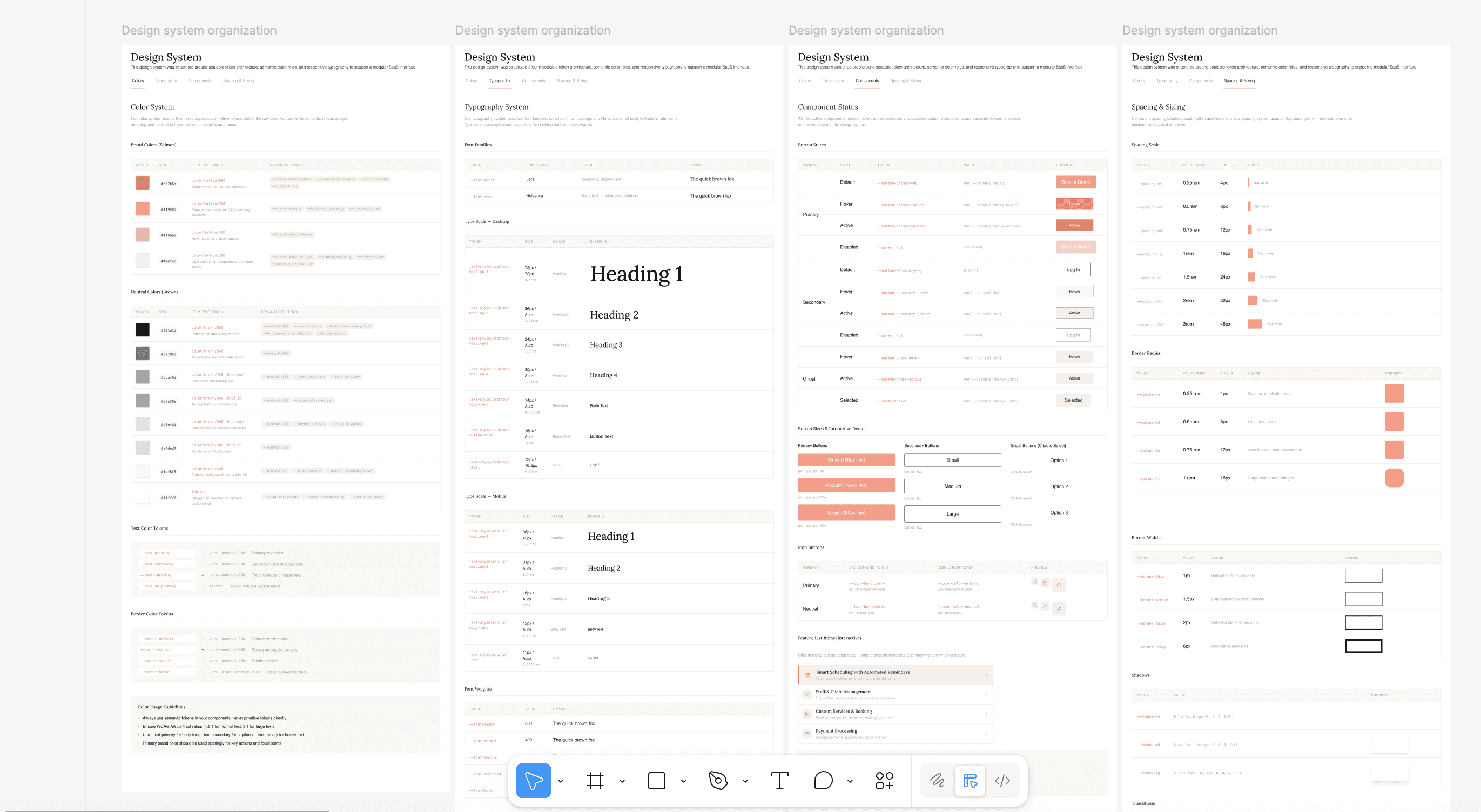
Create new design system defining typography, color, and component system for Kohisi's brand
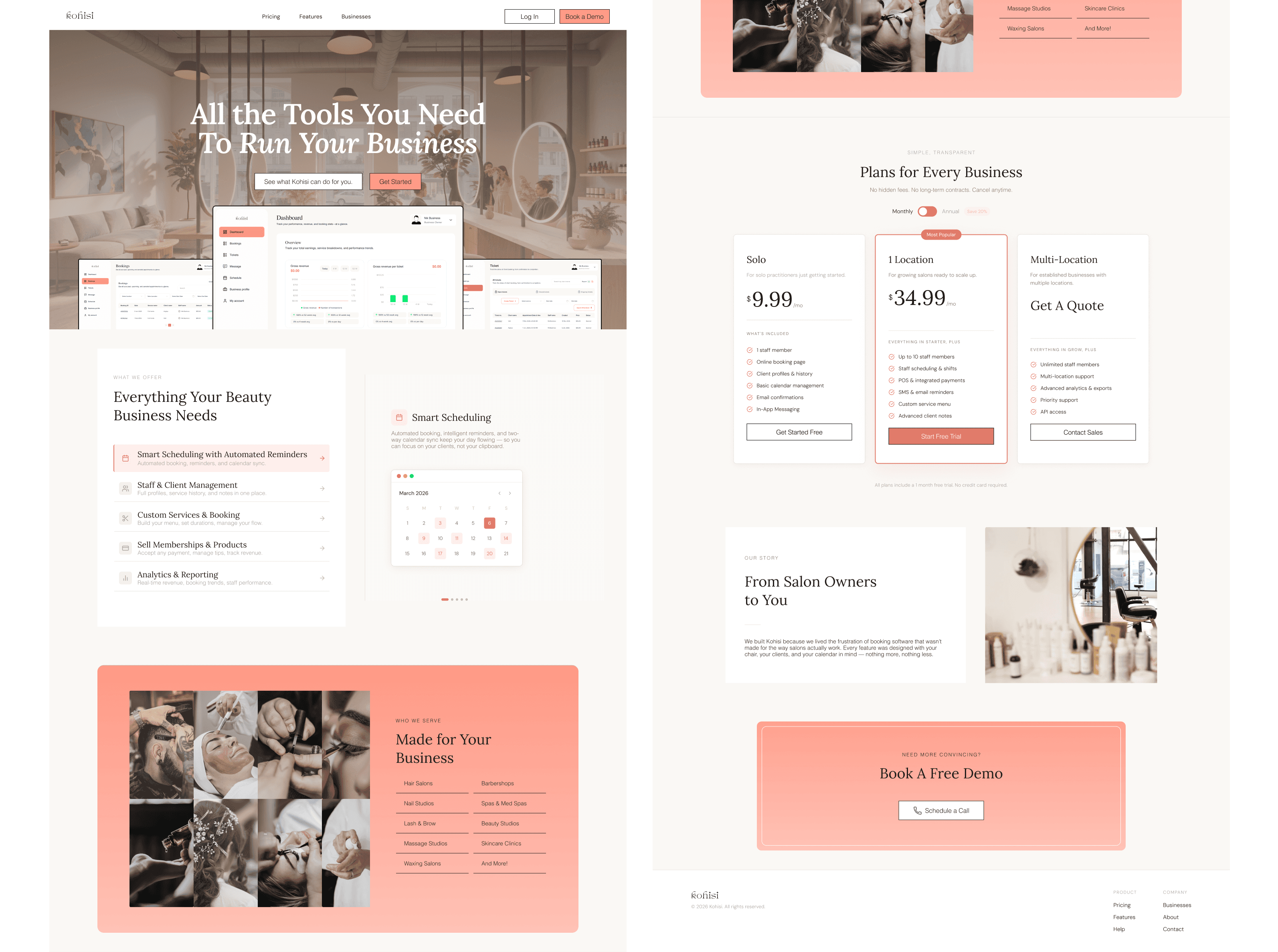
Redesign the landing page for desktop and mobile using the new system
THE SOLUTION
A new visual language for developers
I restructured the booking flow to give providers greater control over how their business operates while preserving consistency and expectations across the marketplace.
New Visual Identity & Design System with Tokens
Landing Page Mockup
PROCESS
Building a Visual Language for Salon Software
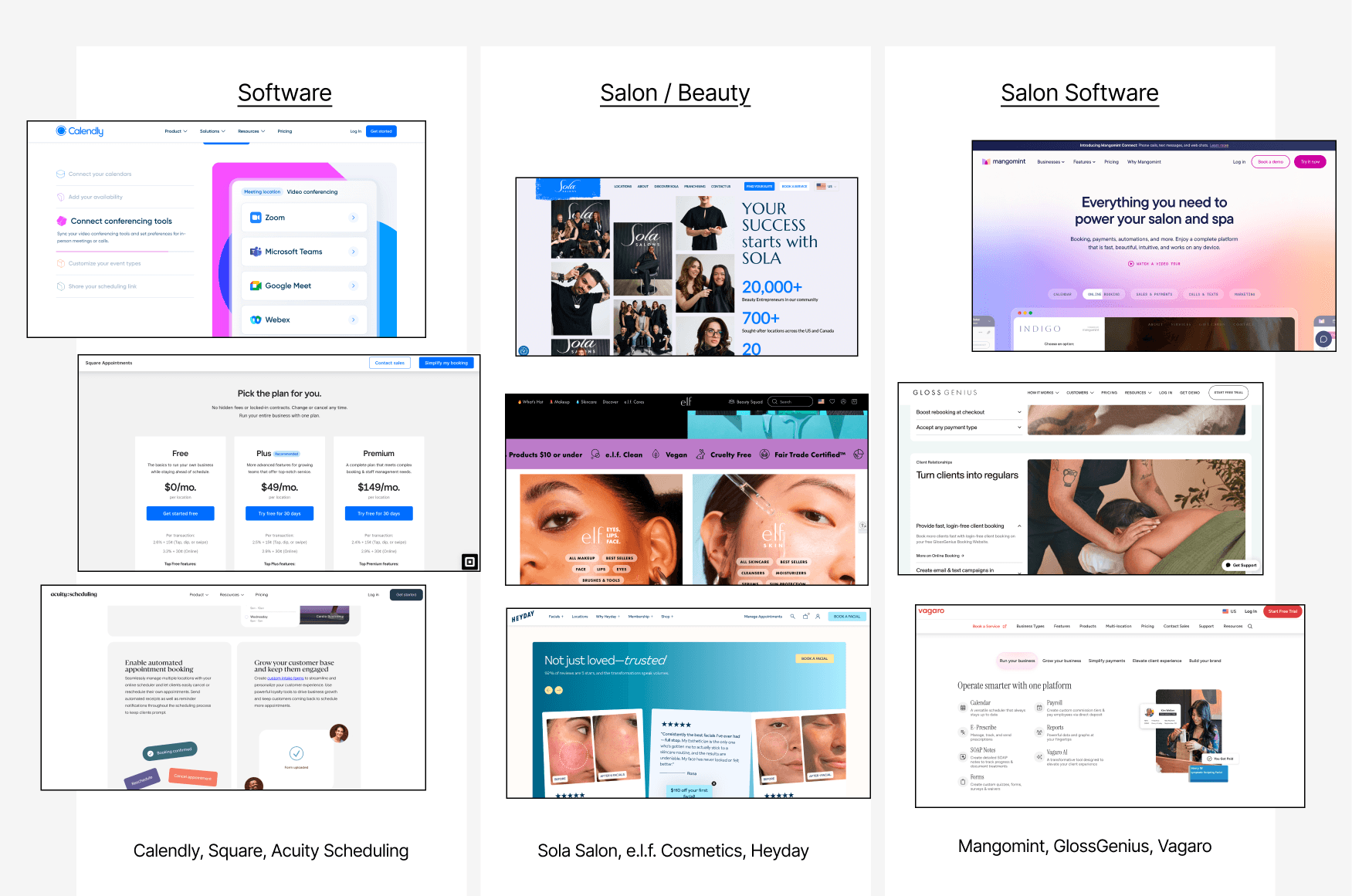
I went through competing software sites, and salon sites to fuse an aesthetic for the brand.
COMPETITIVE RESEARCH
Understanding the Market Before Setting a Direction
I looked at three distinct reference points: general software, salon brands, and salon software.
Software sites informed layout and hierarchy, salon sites set the tone for warmth and photography, and salon software sites provided an insight into competition.
VISUAL IDENTITY
Choosing Typography and Color with Intent
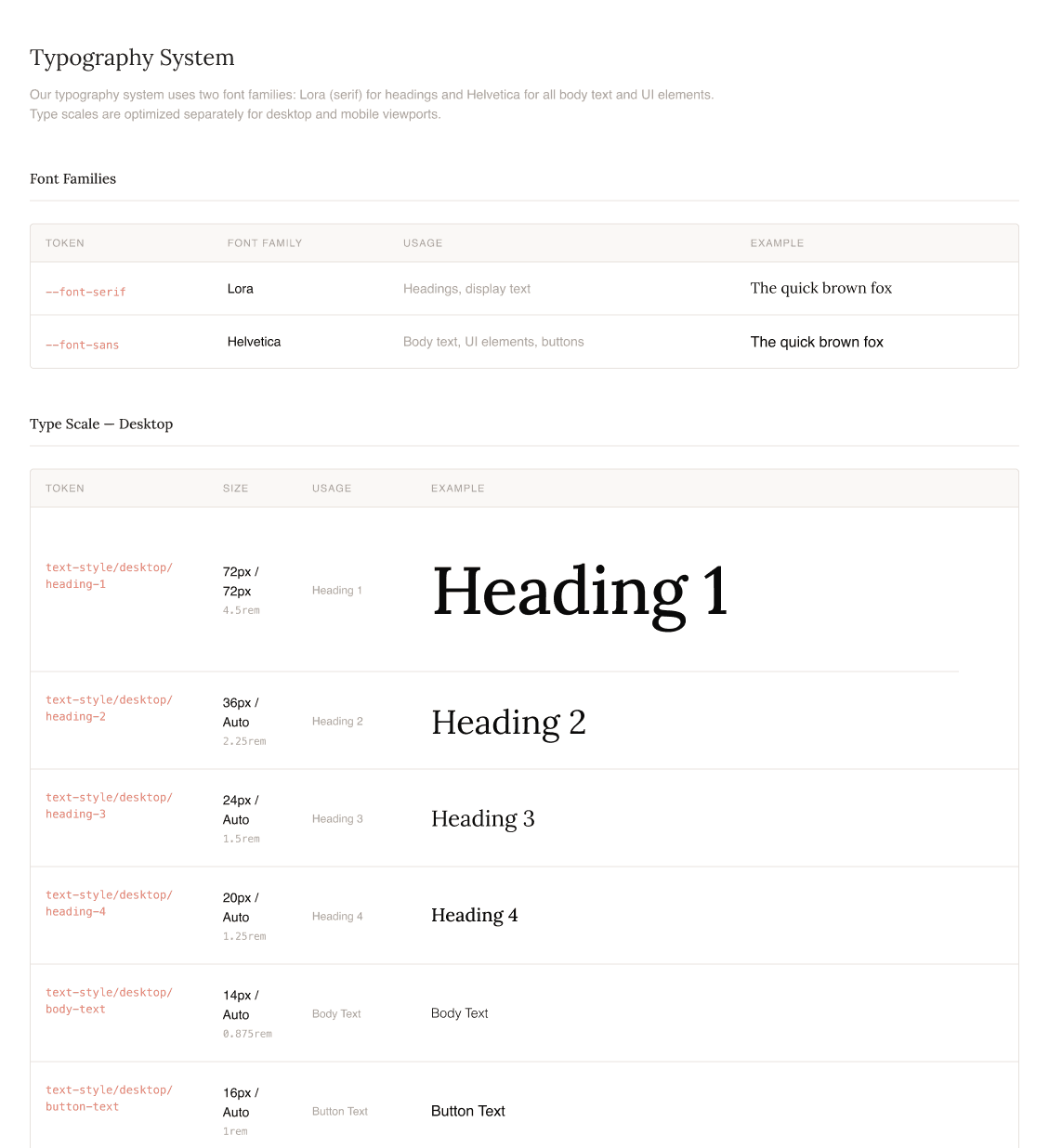
Typography
I paired Lora with Helvetica. Lora brought character and an elegance to headers. As a serif associated with editorial restraint, it avoided veering into experimental or marketing-forward territory. Helvetica kept body copy and buttons clean and readable, which is what software interfaces need.
Color
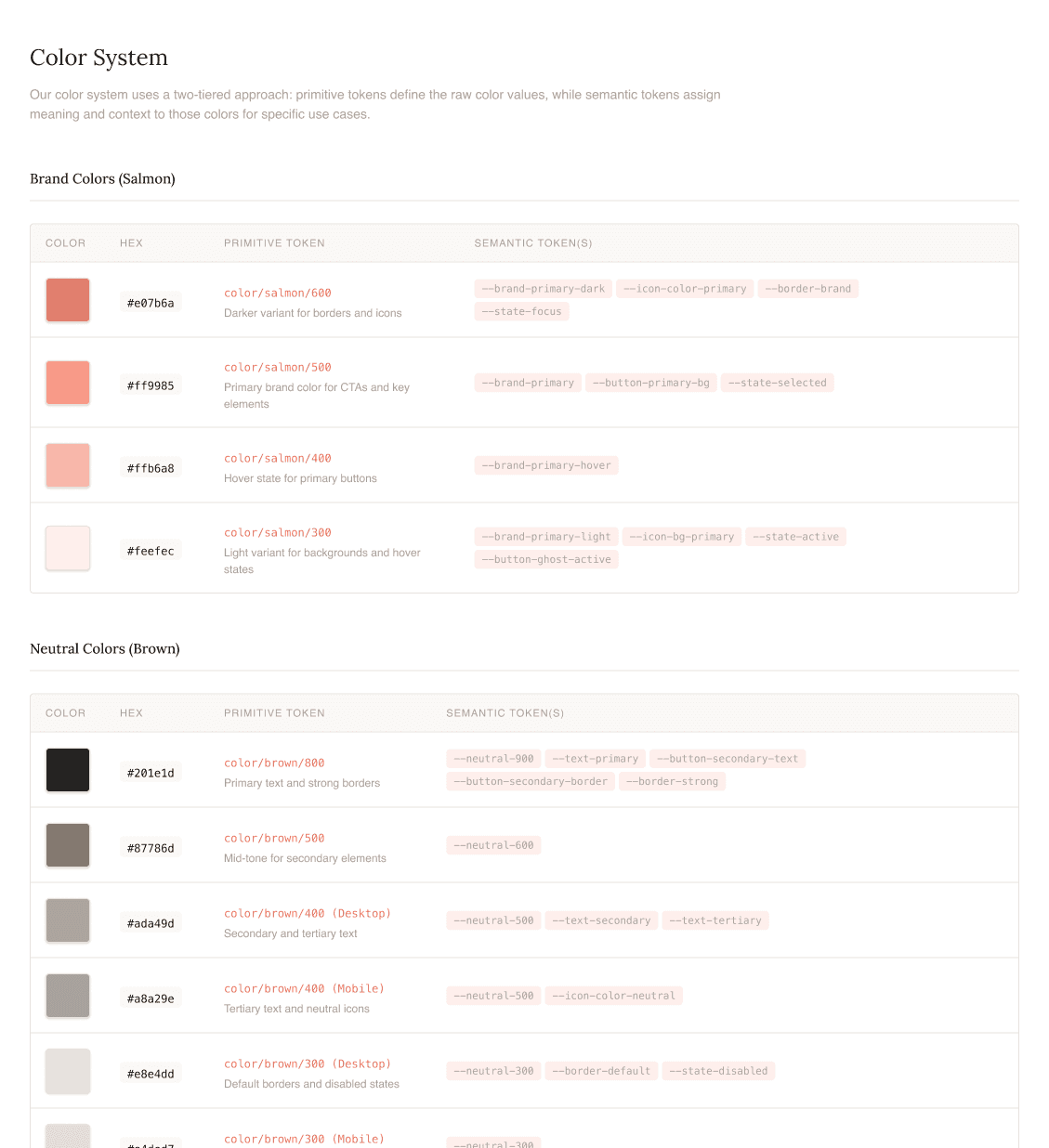
The only initial constraint was the client's preference for orange. Early iterations leaned brighter to signal software, but the palette evolved toward a softer salmon, close enough to pink to feel at home in a beauty context, grounded enough to stay professional.
This paired with neutral browns and warm whites, accomplished a fresh but practical feel that complemented photography without competing with it.
COMPONENT LIBRARY
Building for Consistency and Reuse
With the visual identity established, I built out a component library in Figma to make sure the system could be applied consistently (both across the landing page and in future work). This included buttons, input fields, navigation states, cards, and iconography, all mapped to the color tokens and type styles defined earlier.
For a one-week project, the component library acted as a handoff artifact for developers, who could use it to build out the landing page and resume the components for a future visual overhaul of the existing software UI.
LANDING PAGE
Putting the Design System into Practice
With the design system in place, the landing page became a chance to see whether the visual language held up across a full page of content, layout decisions, and responsive design.
WIREFRAMING
Establishing Layout Logic
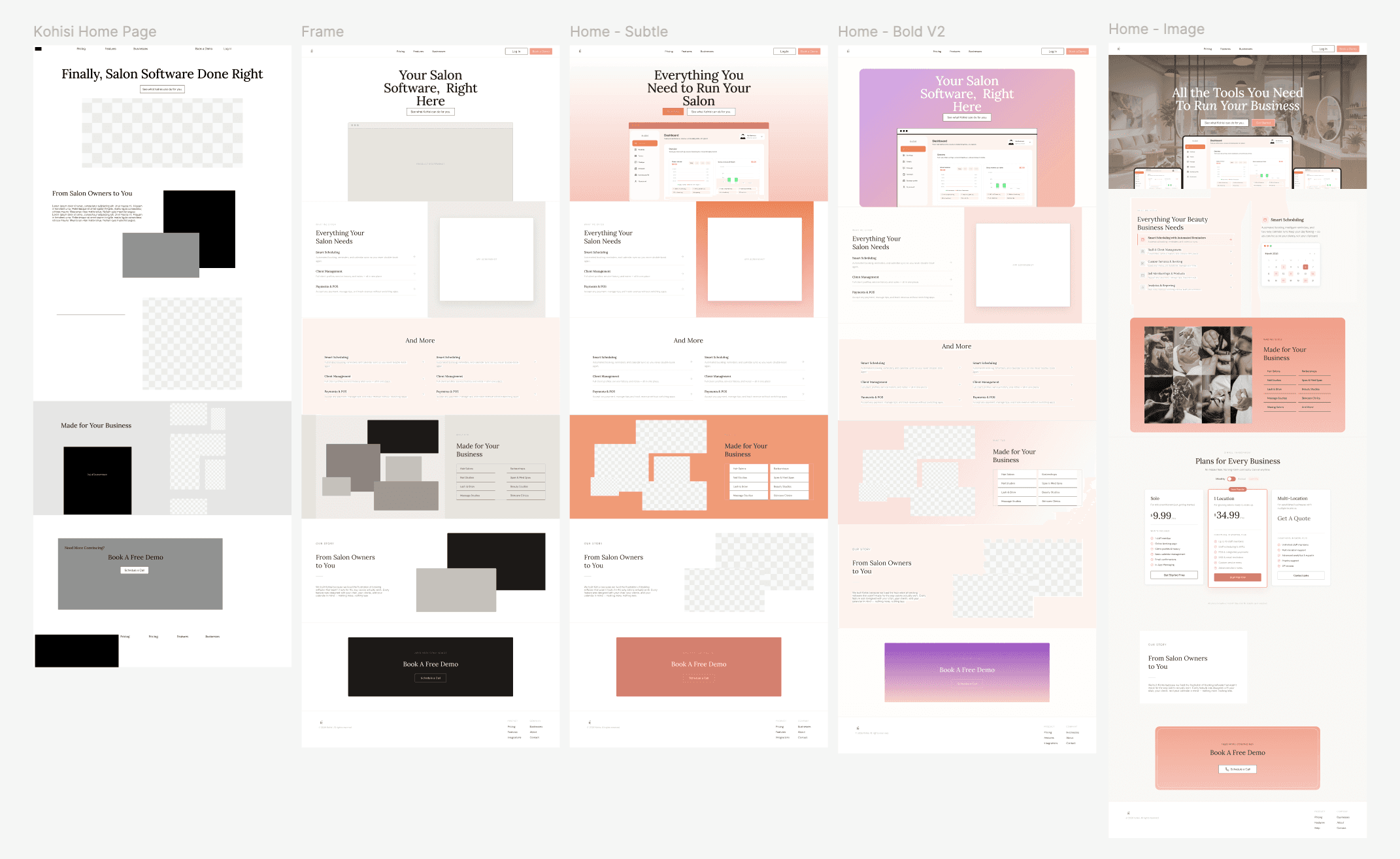
I kept my initial Figma pass deliberately rough to confirm the right sections existed and in the right order before committing to any visual decisions. This included a hero, feature highlights, pricing, a demo CTA, business type callout, and footer.
AI PROTOTYPING
Using Claude and Cursor to Accelerate Development
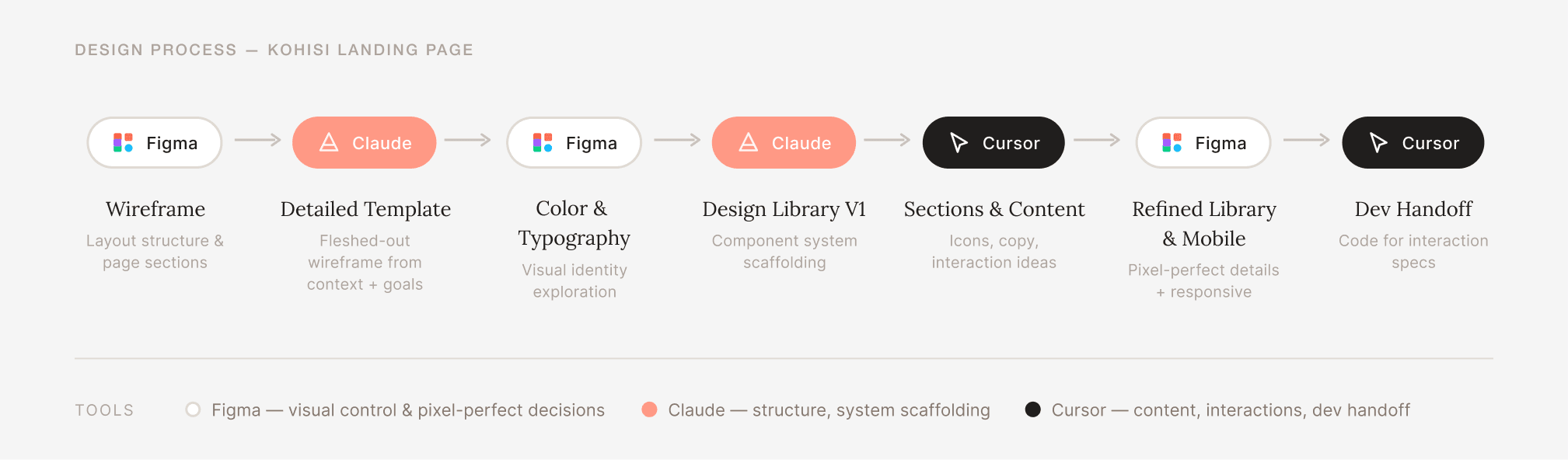
I used Claude to scaffold a more detailed wireframe from my competitive research and page goals, then brought the output into Figma to apply the visual system. Cursor handled section expansion, iconography, and interaction ideas and was particularly useful for generating copy placeholder variants and button states quickly.
The back-and-forth wasn't always clean; some outputs needed significant visual correction in Figma, which is where the design library paid off. Having defined tokens created quick fixes that were fast and consistent.
MOBILE UI
Adapting the System for Smaller Screens
The main challenge was adapting sections that relied on side-by-side layouts — feature grids and split-content rows needed to restack without losing hierarchy. Typography scale also needed adjustment; Lora at desktop heading sizes felt heavy at mobile, so I reduced weights and sizes while keeping the pairing intact.
DEFFERED FOR V2
Deferring Product Screens for V2
Several common marketplace patterns were intentionally excluded to avoid distorting trust and disadvantaging new providers.
Showing product screens
Competing salon software sites showcased their features through large UI screens and GIFs of interactions; we will implement this after the rest of the software is updated with the new design library.
Showing mobile screens on mobile
Competing salon software sites showcased their features through large UI screens and GIFs of interactions; we will implement this after the rest of the software is updated with the new design library.
REFLECTION
Using AI to Build Concept, not Brand
This project was a useful exercise in figuring out what to delegate to AI and what to hold onto. AI was genuinely helpful for the parts of the work that benefit from convention, such as identifying page sections, creating recognizable interaction patterns, and organizing the component library quickly.
Visual decisions were a different story. I retained control over color, typography, border radius, and spacing because this was a new brand being defined from scratch. A more standardized output would have been faster but less memorable, and the founder's input was part of what made it feel specific to Kohisi rather than generic SaaS.
With more time, I'd push toward a pixel-perfect code handoff rather than Figma-to-Cursor. The back-and-forth between the two introduced inconsistencies that had to be manually corrected, and a single source of truth in code would've been cleaner for the developer.