Building a Personal Curriculum Organizer Tool
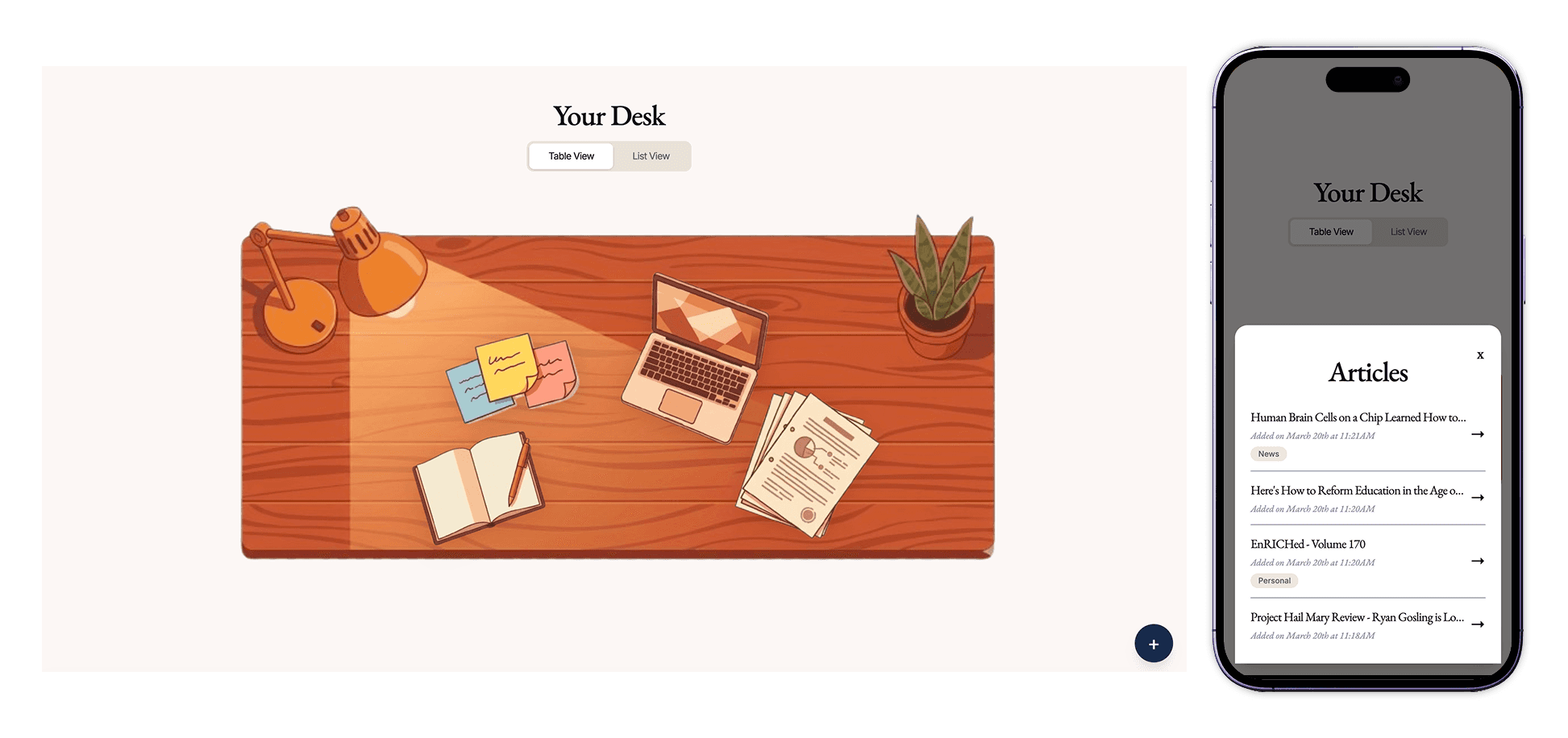
COMPLETED:
March 2026
SKILLS:
AI-Prototyping
Product Design
Mobile UX Design
TOOLS:
Figma
Claude
Cursor
Vercel
Gemini
ROLE:
Solo designer & developer
THE "MESS"
I save things constantly (articles, ideas, video essays) but almost never return to them
It can be difficult to manage the multitude of interesting things I find online and integrate them into my day. Without dedicated time blocked for it, saved content just piles up.
Existing tools (bookmarks, Notion, read-later apps) are built around the save action. But because the failure mode isthe friction of returning, Syllabus is built around the return.
As a solo side project, success meant building something I'd actually use and that others could pick up without explanation.
To Do:
Save & store media links with category and tag organization
Reduce the friction of returning through scheduling aids and satisfying completion mechanics
PRODUCT OUTPUT
A tool that encourages you to save and revisit the media
A cozy academic link-storage tool that incentivizes people to come back.
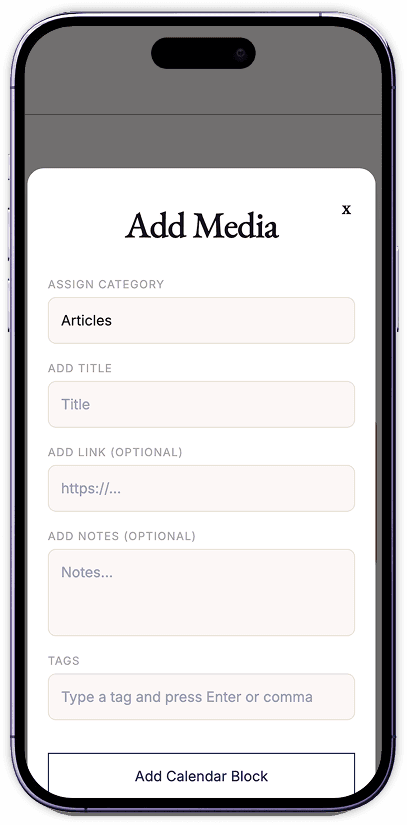
Save Media that You Find Interesting
Add any link (article, video, tool, or concept) with a title, tag, and category. It lives on your desk until you're ready for it.
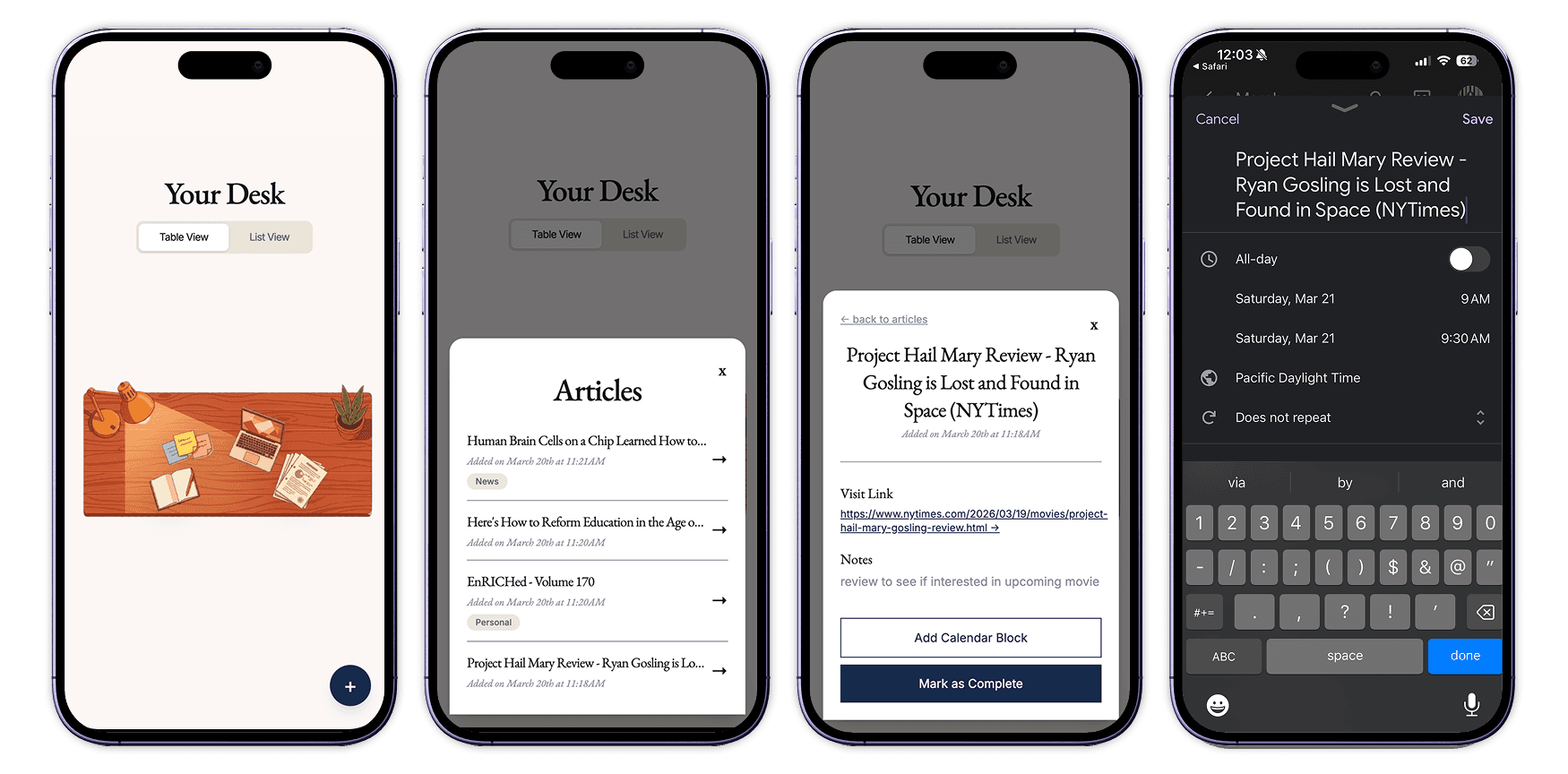
Revisit Existing Saves
Browse by category, filter by tag, or open the item detail to schedule it on your calendar with one click. Mark it complete when you're done with a strikethrough and a satisfying kshhhhh sound.
DESIGN PROCESS
Bringing This to Life with AI-Assisted Prototyping
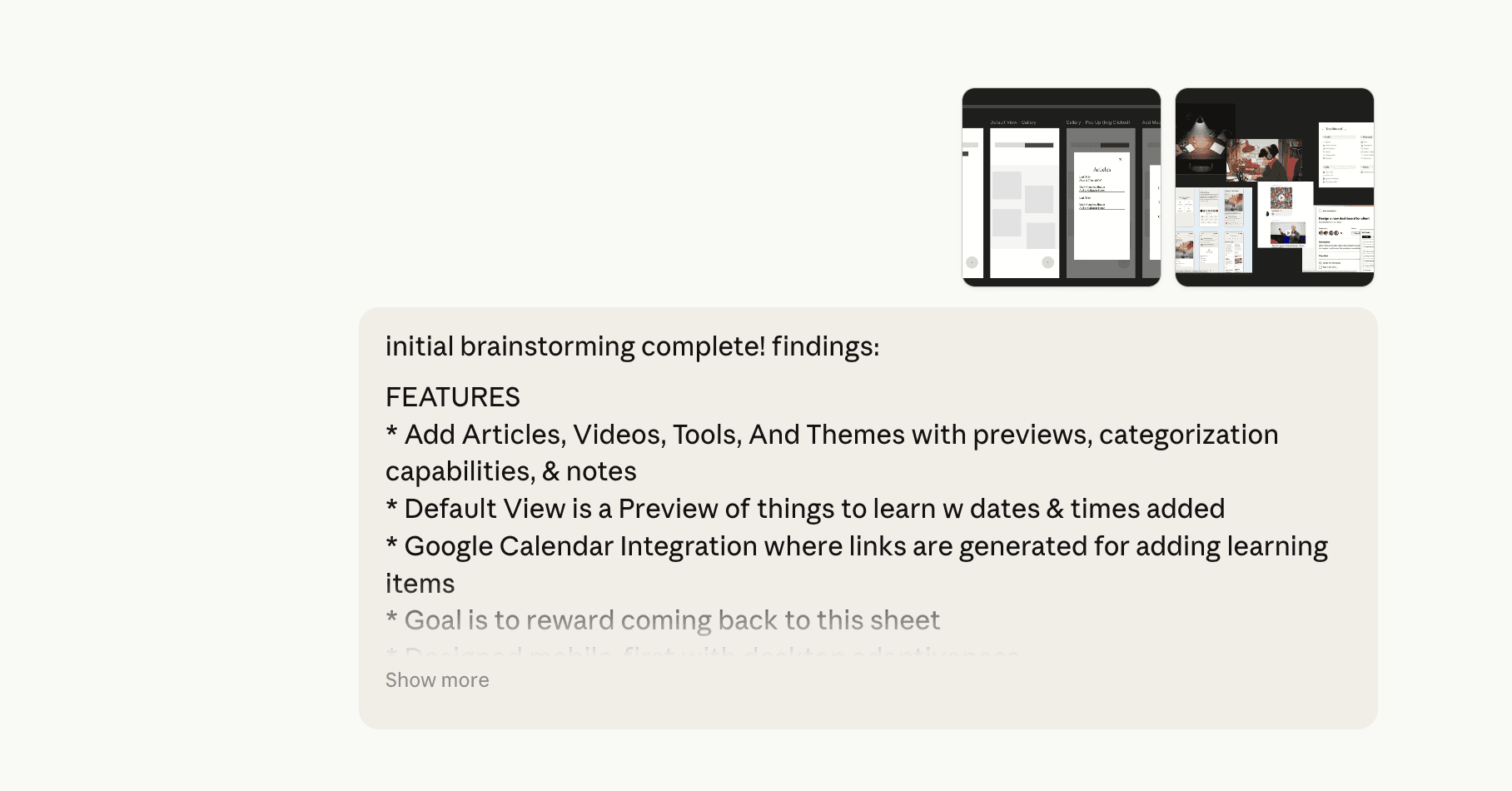
I brought out the design thinking in Figma & Claude and built the application through directed prompting with Claude and Cursor.
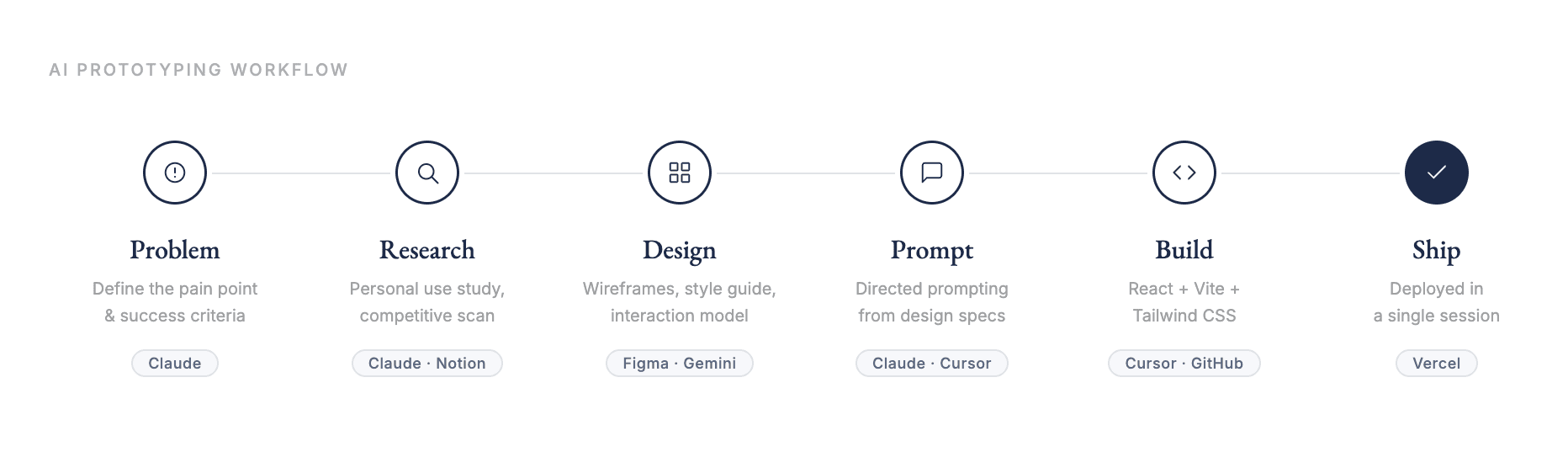
AI PROTOTYPING WORKFLOW
AI Prototyping Tool Stack & Workflow
This project was an intentional experiment in directed AI prototyping. Product scoping, interaction modeling, UX decisions, and the design system were all defined before prompting began. Cursor and Claude handled code generation throughout.
Real problems encountered and solved: Tailwind v4 breaking changes, Git merge conflicts between accounts, CSS overflow on mobile, absolute positioning math for the desk canvas, cross-browser font rendering. The result was a shipped, deployed product in a single session and a clearer sense of where AI accelerates and where designer judgment is irreplaceable.
DEFINING SCOPE
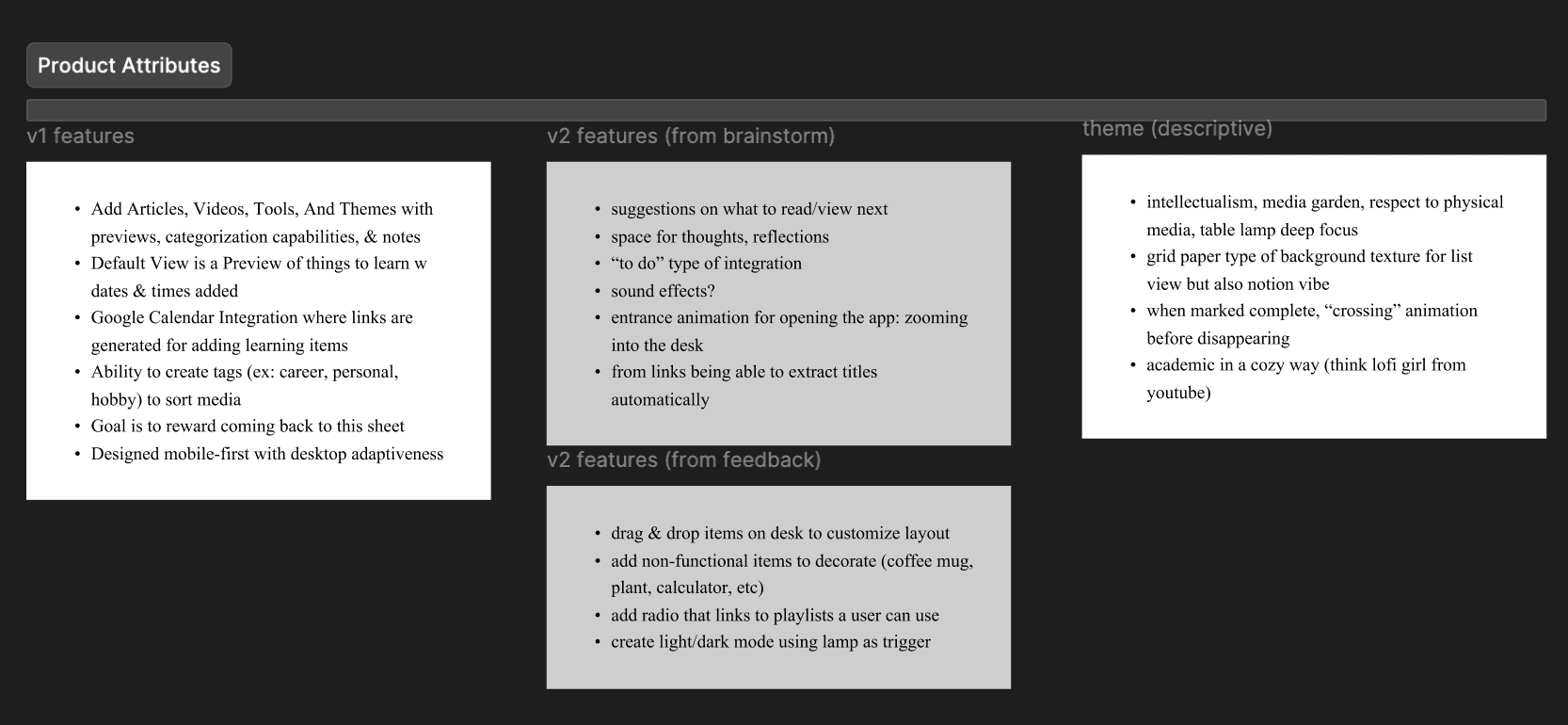
Listing MVP Requirements
Before any wireframes, I wrote out explicit V1 vs. V2 decisions, choosing scope boundaries that kept the product shippable without compromising the core experience.
LOW FIDELITY PROTOTYPES
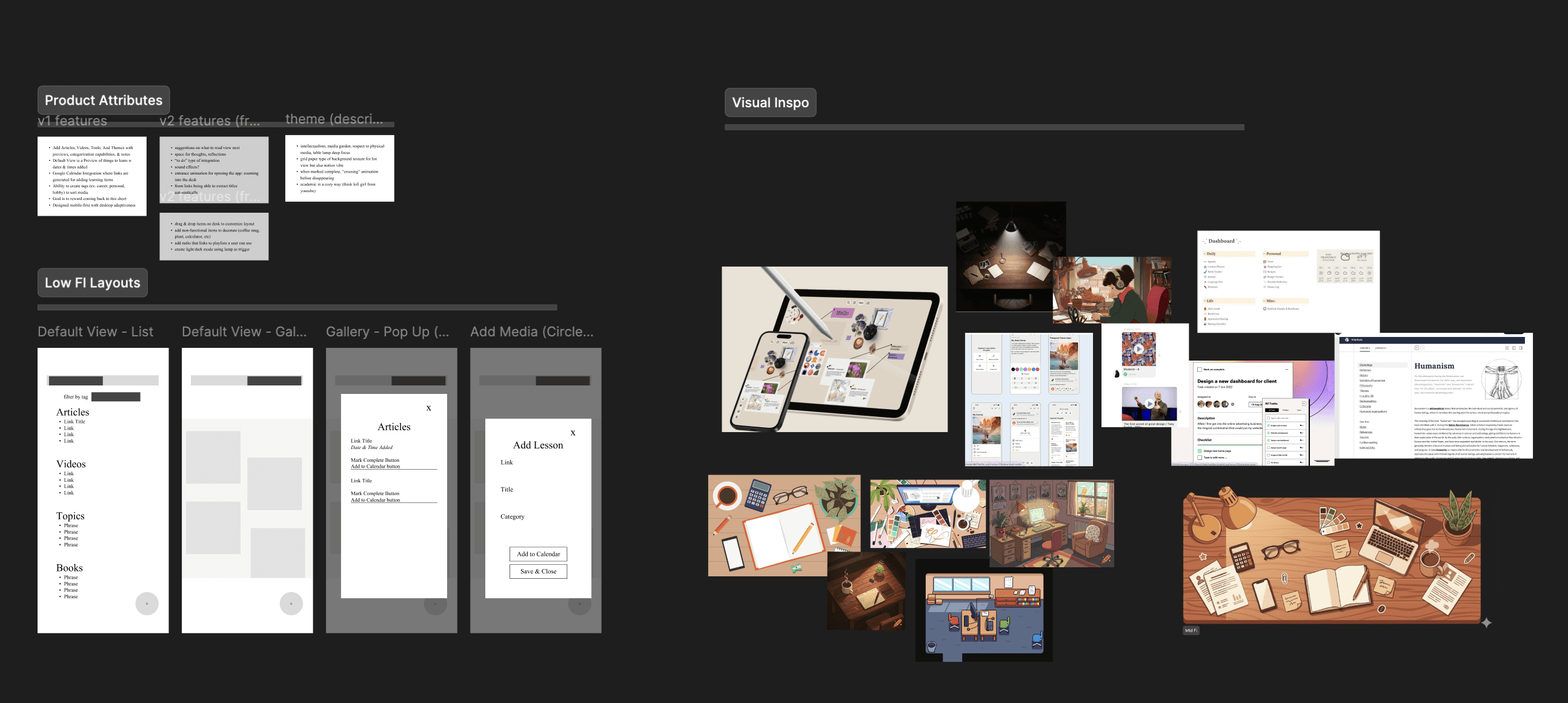
Early Wireframes
Five screens defined the interaction model before any visual decisions: desk view, category list overlay, item detail modal, add item form, and list view.
FIRST PROMPTS
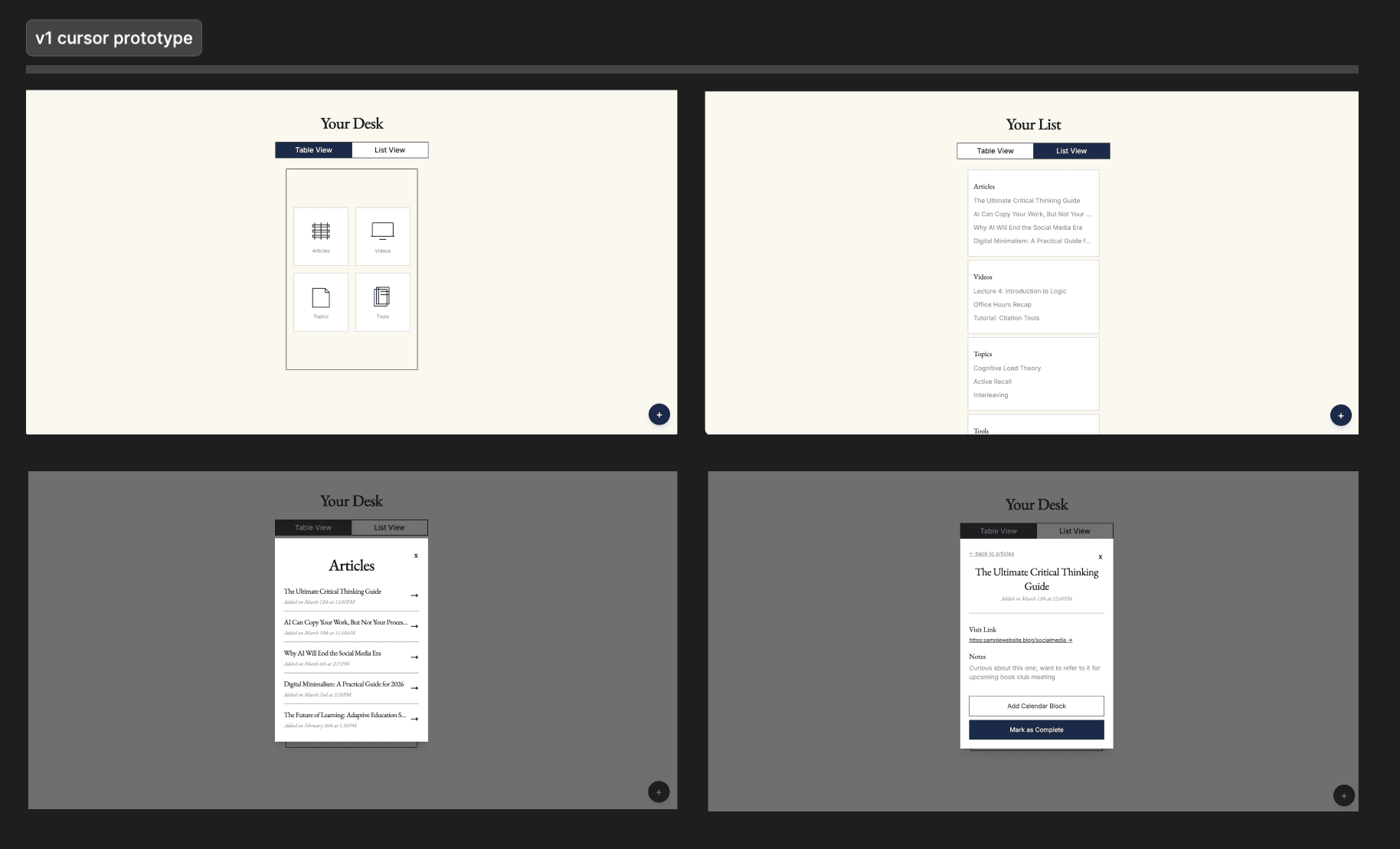
Early Prototyping
Mid-fidelity screens stress-tested the interaction architecture before moving into the build. The desk as home, category overlays, and the modal layering system came together here.
STYLE GUIDE
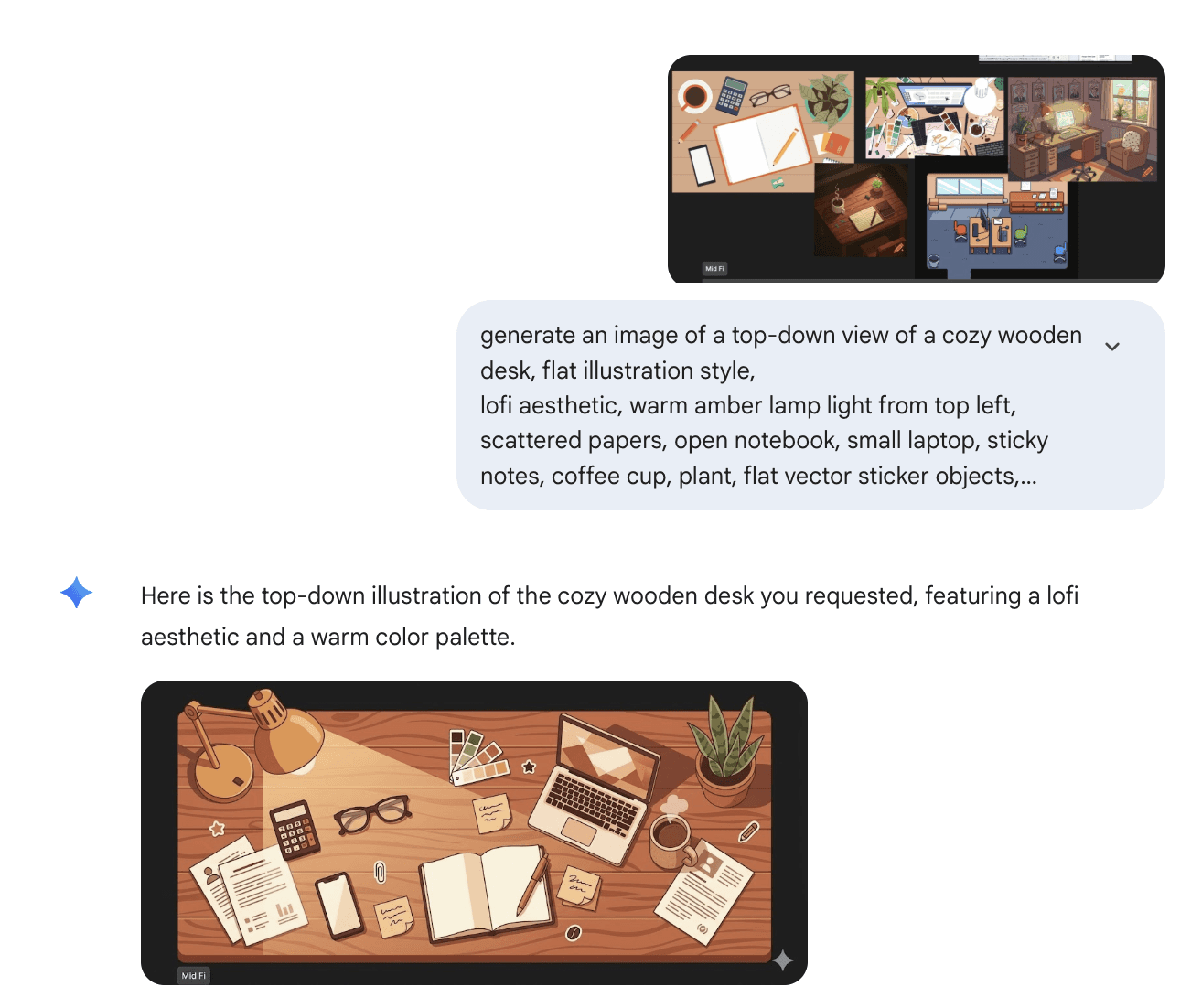
Refining Visual Direction
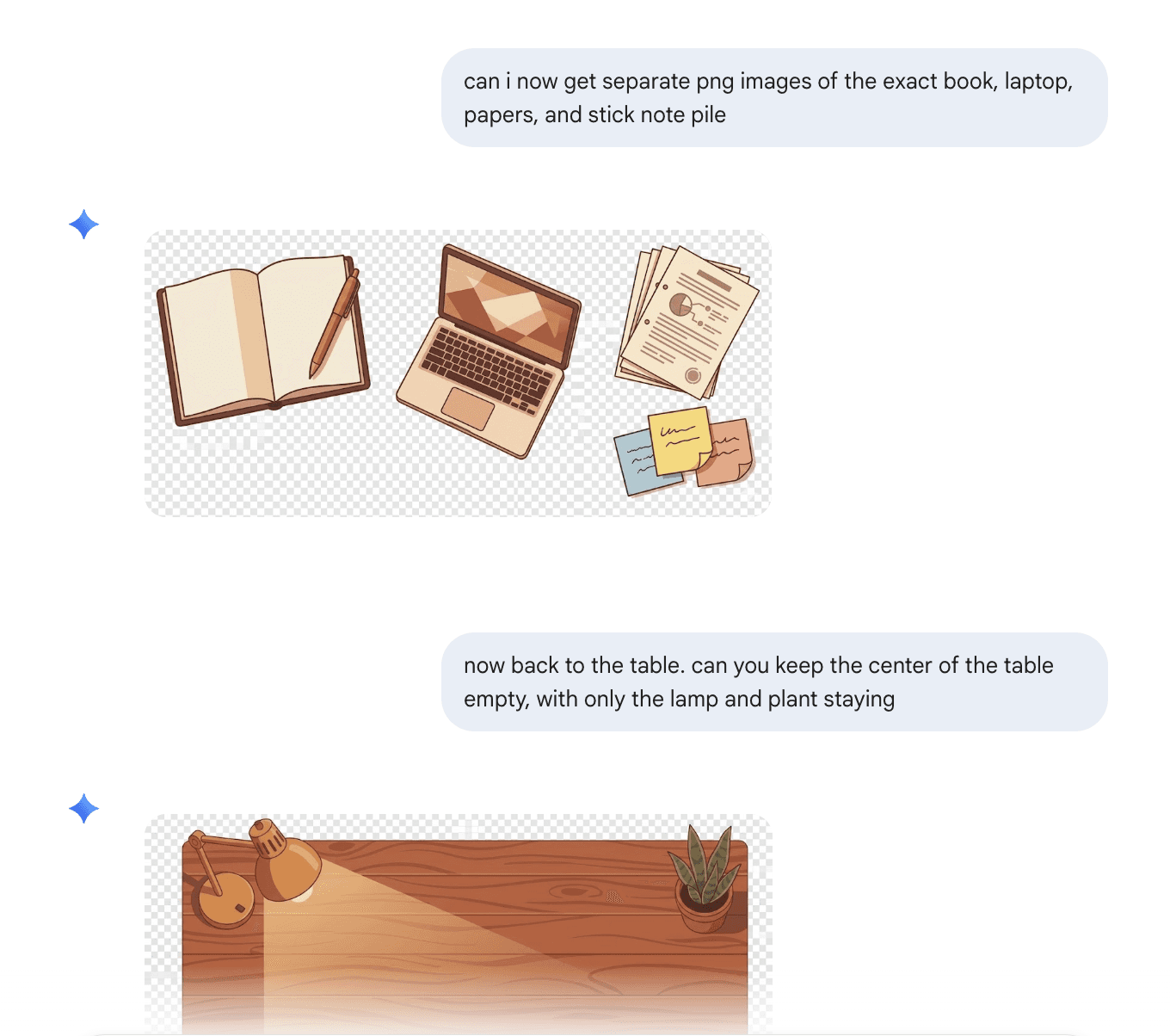
I used Gemini to develop the visuals the desk and object assets based on the style represented in my moodboard.
MORE PROMPTING
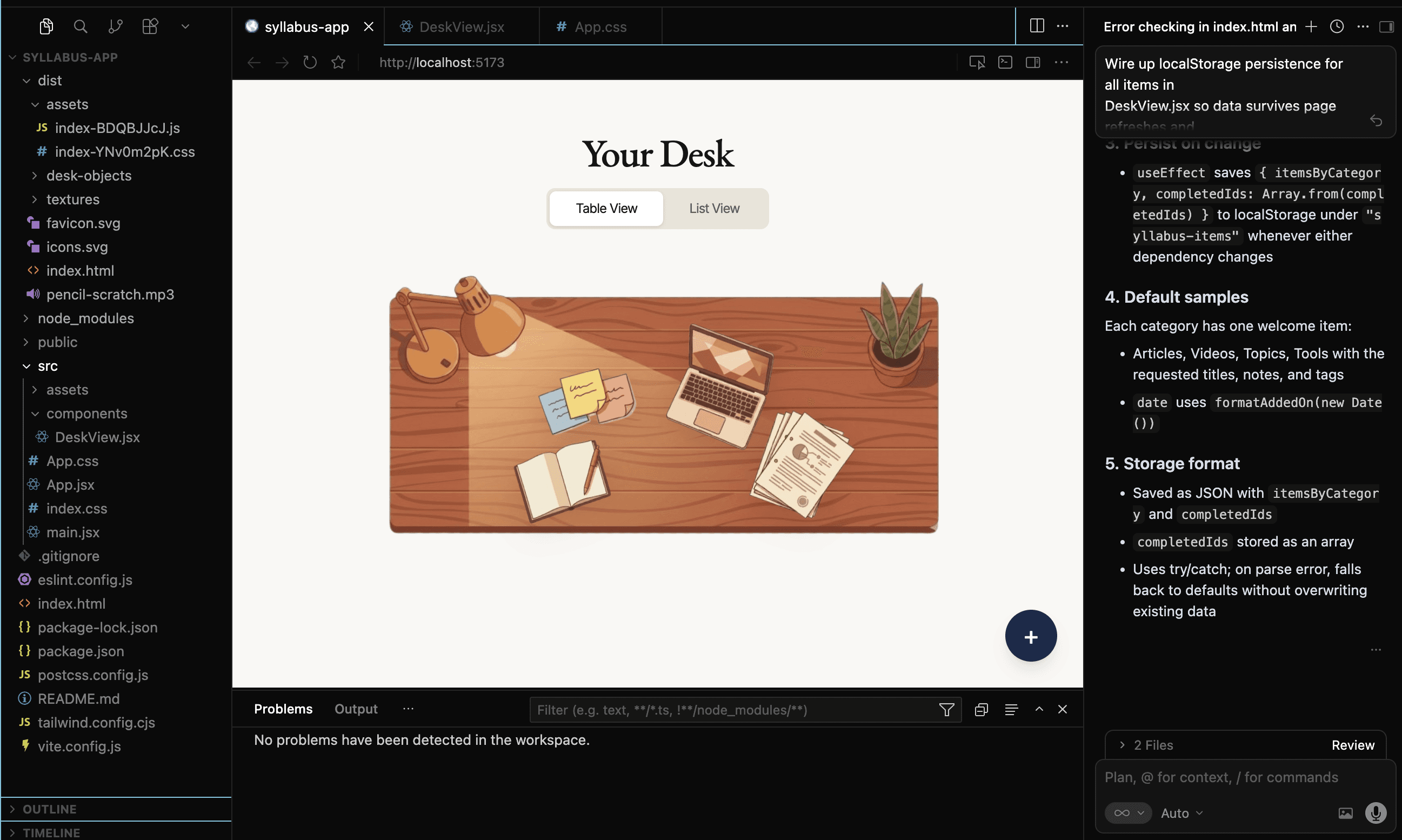
Refining Product
By integrating the generated UI into the project folder, I was able to quicky refine the UI without sacrificing functionality.
KEY PROTOTYPING TENSIONS
AI isn't Perfect; Here's What Didn't Work
Visualizing the Desk
I prompted Cursor and Claude to generate the desk visual, and the outputs were functional but aesthetically generic. Nothing that matched the "academic cozy" direction I had in mind so I pivoted by moodboarding with real references and loading that visual context into Gemini.
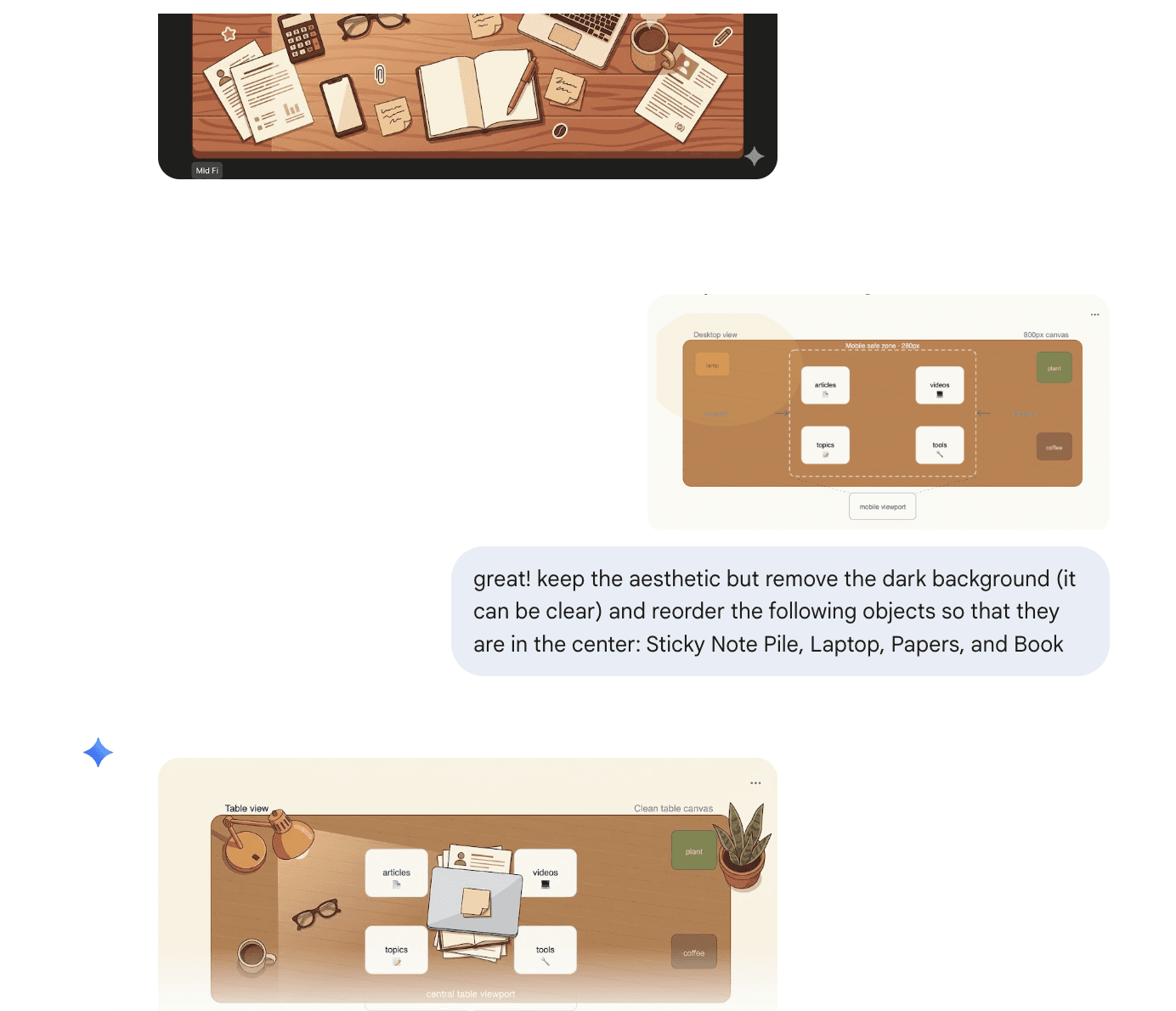
Visualizing the Desk (pt 2)
Within Geminii, I learned not to confuse my prompts with misleading information and to instead craft them with intention to not lose my progress iterating.
DEFERRED FOR V2
Saved For Later
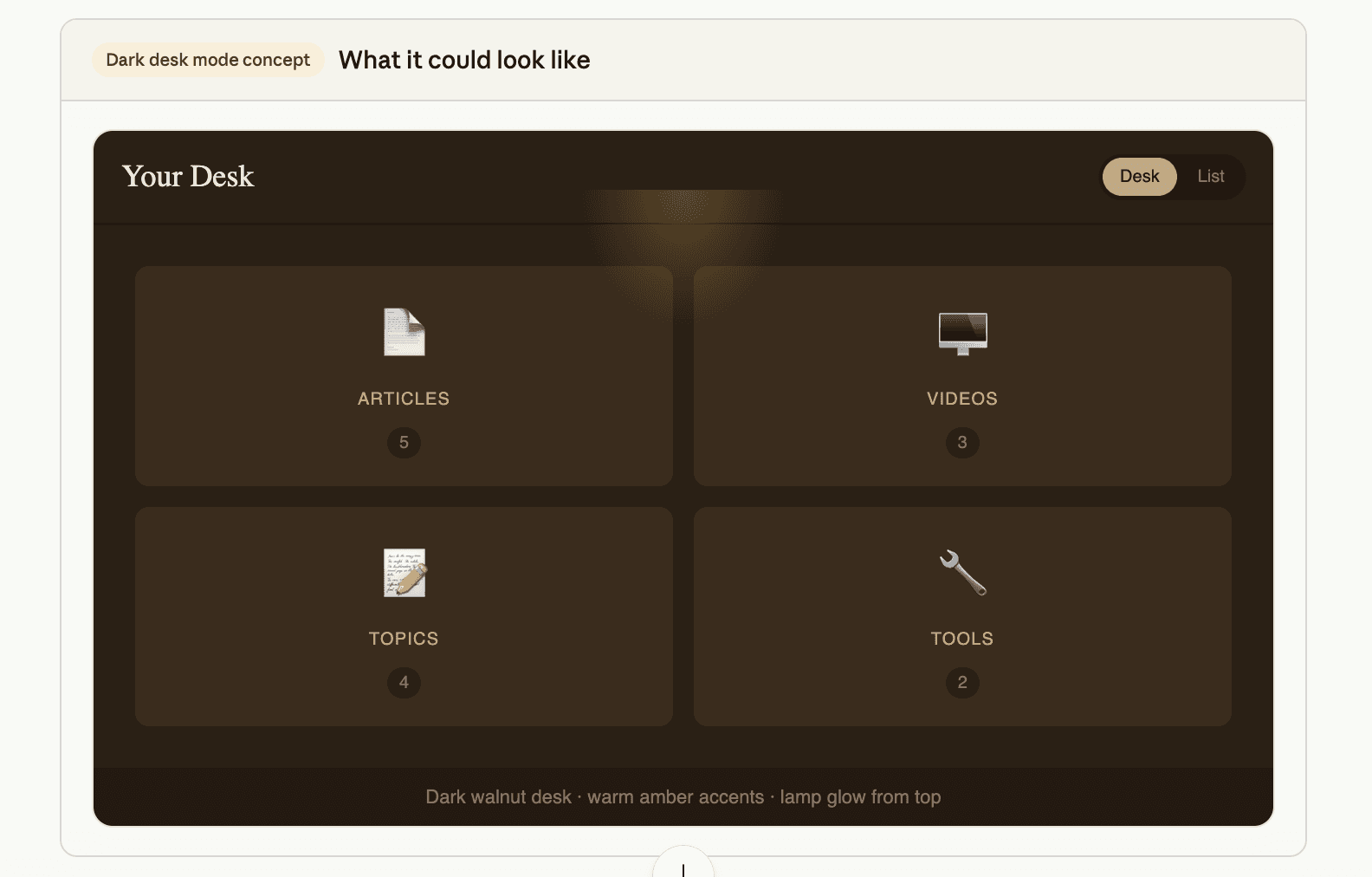
Dark mode triggered by the lamp icon:
Clicking the desk lamp toggles dark mode with a click sound effect. Deferred as it was an idea that later came up but was not core to base functionality.
Drag to Rearrange Objects:
Users can "arrange" their desks and saved positions persist between sessions. Deferred as it was an idea that later came up but was not core to base functionality.
Resurfacing content saved 30+ days ago:
Surface items saved 30+ days ago that haven't been opened (and would lie at the bottom of lists). Deferred based on unclear expectations on continued use.
REFLECTION
Where My Process Has and Hasn't Changed
This project clarified something important about how I work with AI tools: the quality of the output is directly proportional to the quality of the design thinking that comes before the prompt. When I came in with a defined interaction model, a style guide, and explicit scope decisions, Claude and Cursor could execute precisely. When I didn't, the output was generic.
The skills that mattered most here were product skills that informed both taste and judgement. Knowing what to build, in what order, and what to deliberately leave out. V2 is already scoped. The lamp clicks next.